Meetings that take their own notes.
Video calls with your clients and guests, under your own name. Send one link, people join from a phone or a computer, and when you hang up the transcript, the decisions and the action points are waiting.
One link. Nothing to install.
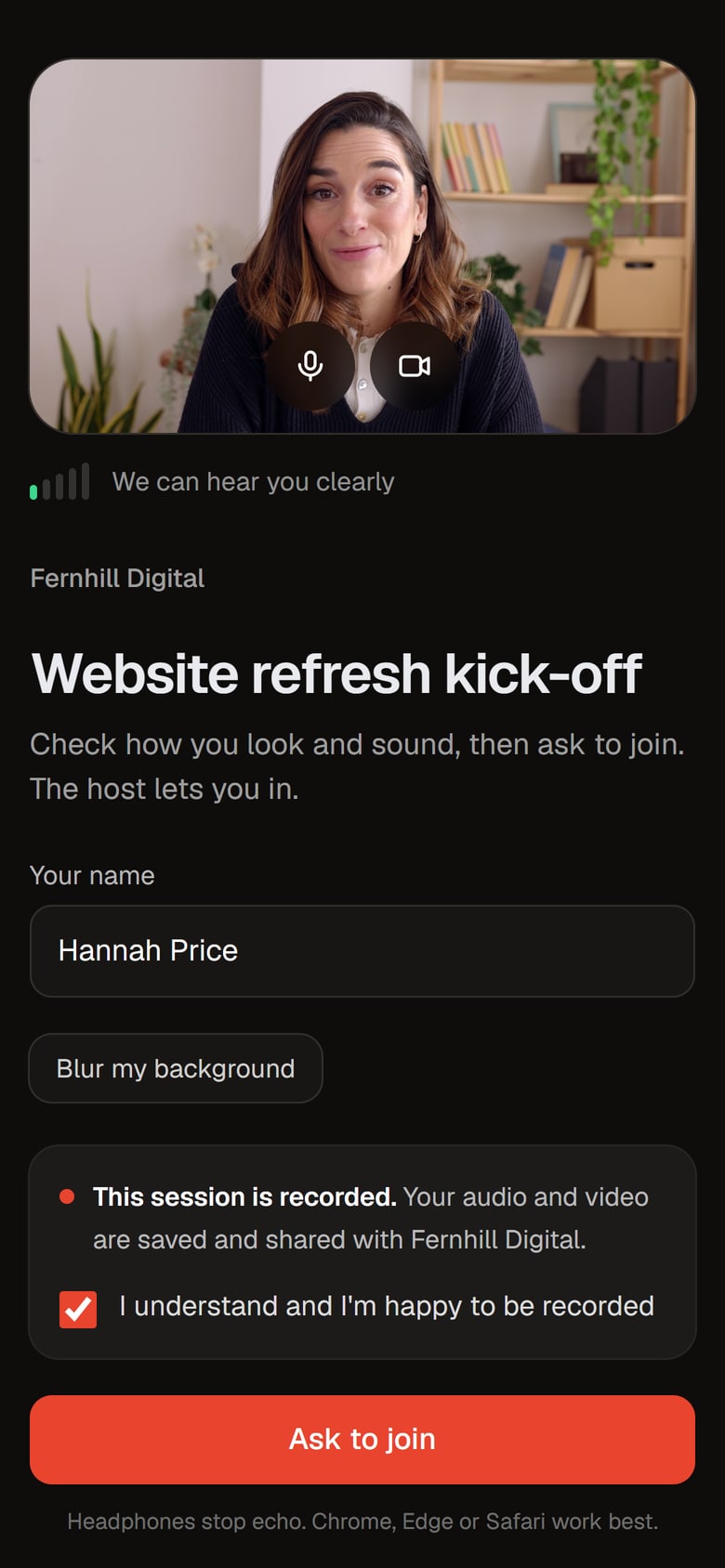
Start a meeting now or schedule it, and you get one short link, like Google Meet. Guests open it on their phone or computer, type their name and ask to join. No app and no account.
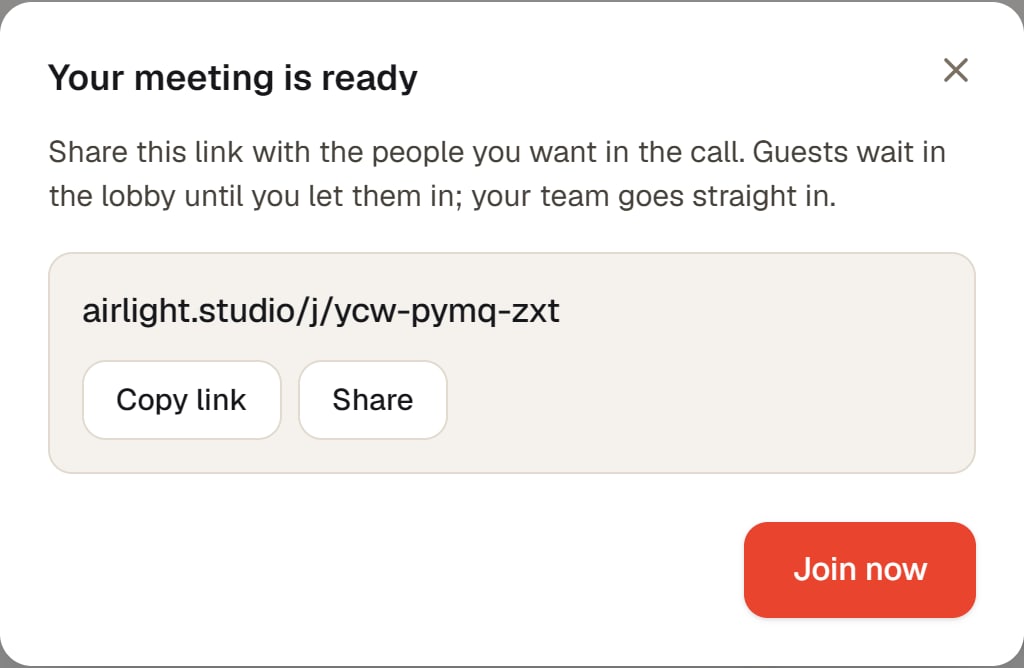
- Start now or scheduleStart a call straight away, or set a date and time and send the link ahead. Either way it is the same link, from the first invitation to the call itself.
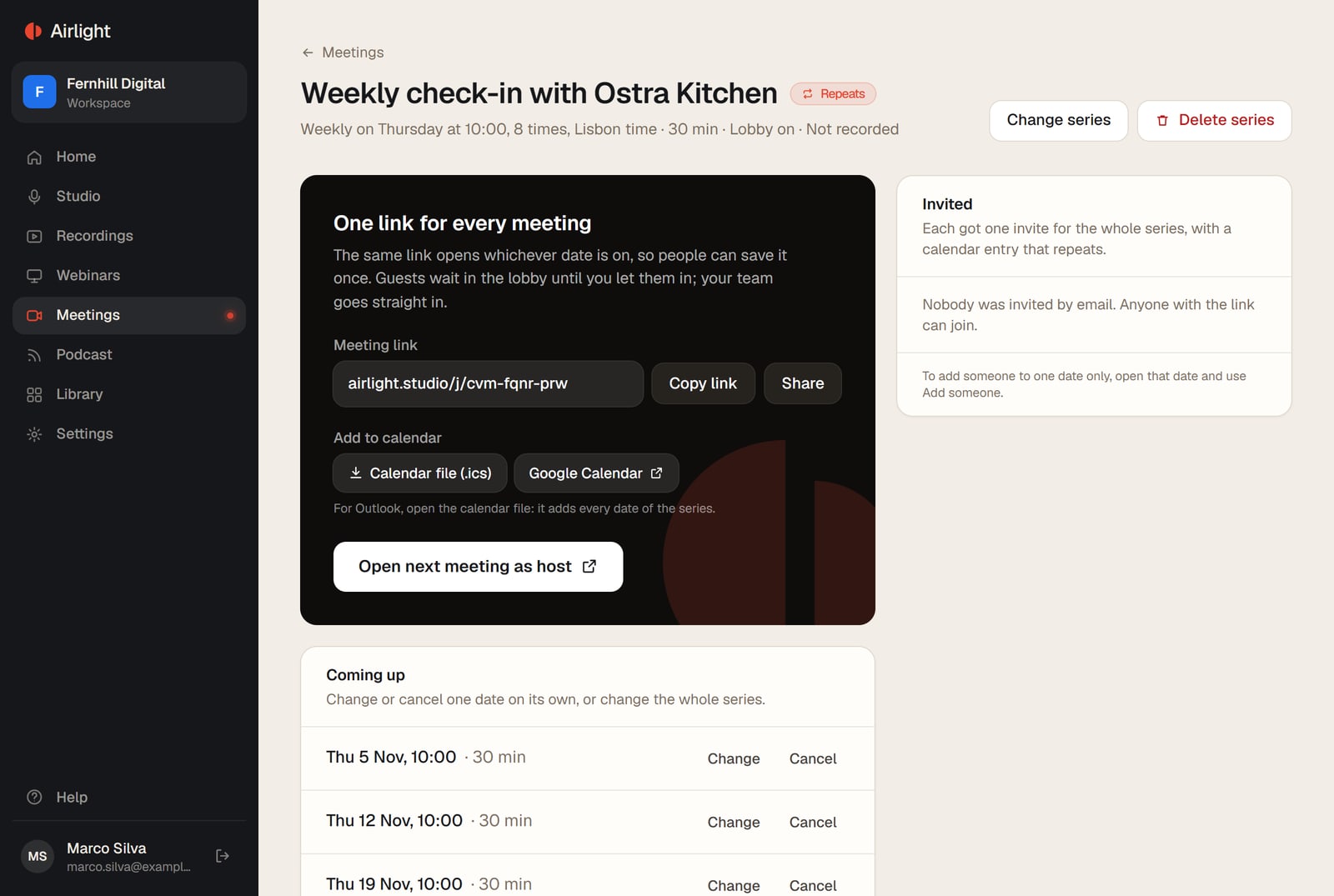
- Repeating meetingsEvery weekday, weekly, every 2 weeks or monthly, until a date, for a number of meetings, or with no end. One link for every date, and the notes from each one stack up on the series page.
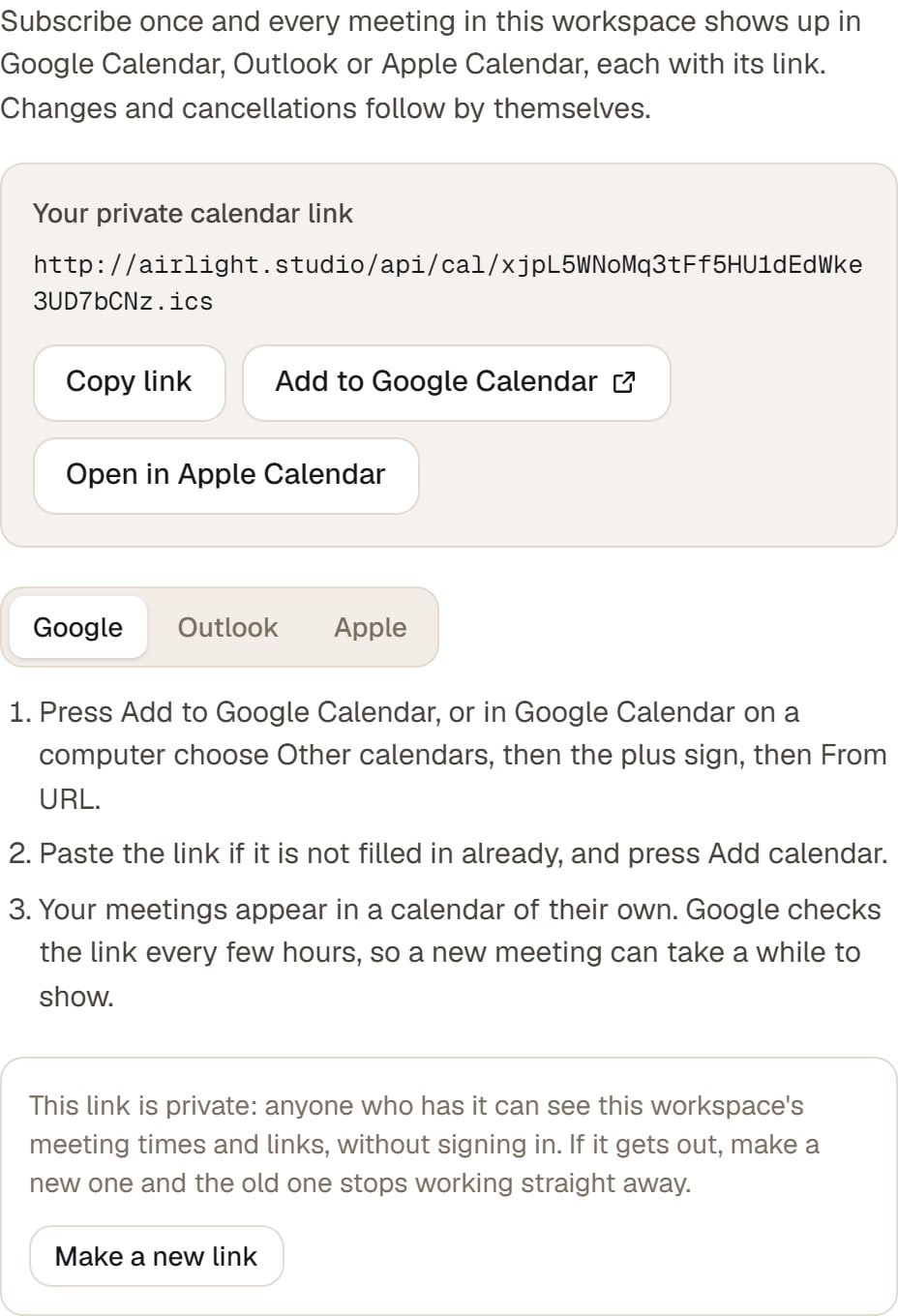
- In your calendarAdd a scheduled meeting to Google Calendar, Outlook or Apple Calendar from its page. Or subscribe once with your private calendar link, and every scheduled meeting in your workspace shows up there with its link, changes and cancellations included.
- Your own roomEveryone on your team gets a permanent link of their own, like airlight.studio/j/your-name, for the calls that come up on the spot. Change the name whenever you like.
- The lobbyGuests wait in a lobby until you let them in, and your team goes straight in. Or switch the lobby off and anyone with the link joins.
- Your brandYour business name, logo and colours on the join screen and in the call. Your guests see you, not us.
In the call, every word is written down.
Record with one switch, and a live transcript runs beside the call with each person's name. Turn on captions and the words appear under the video as people talk.
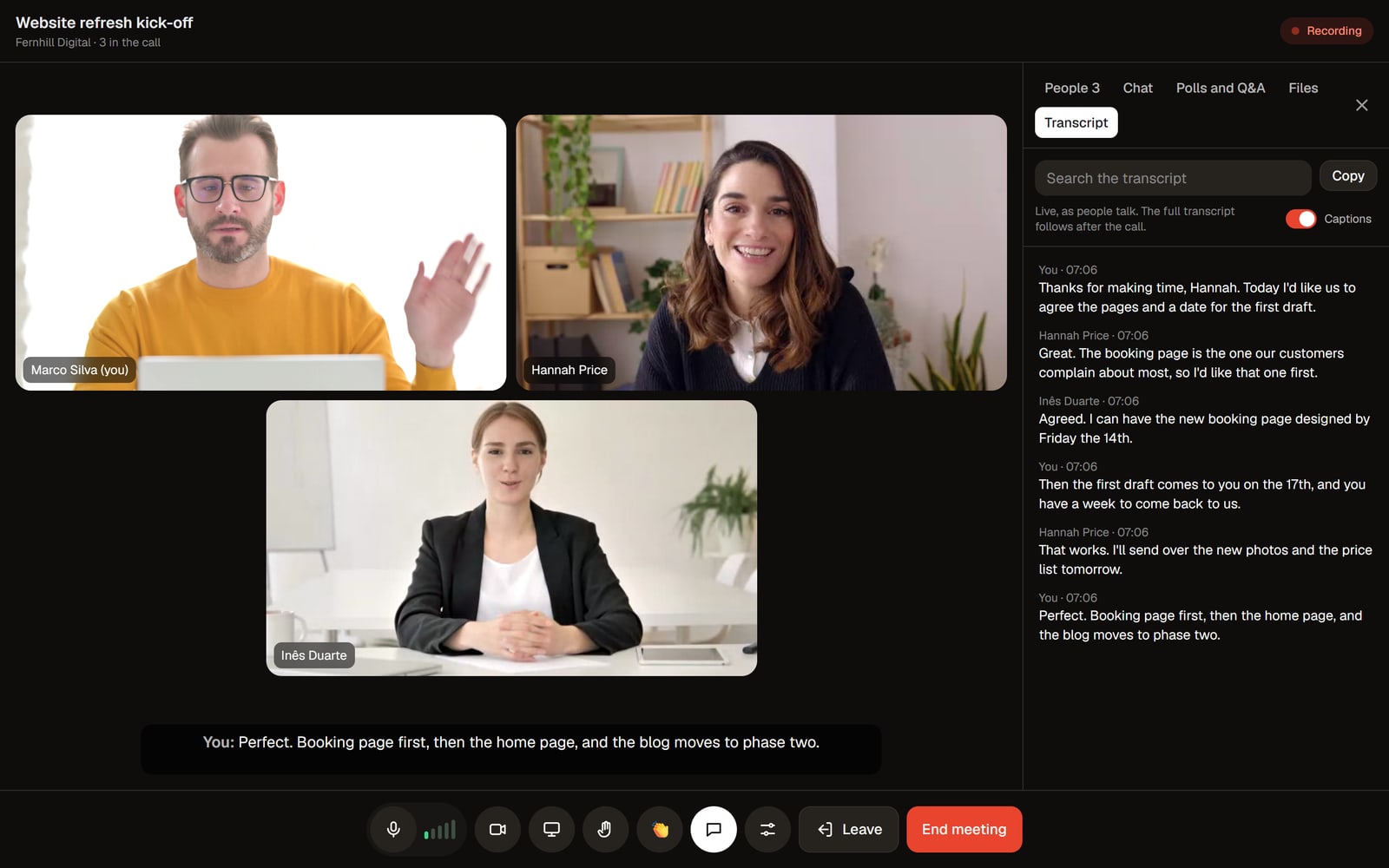
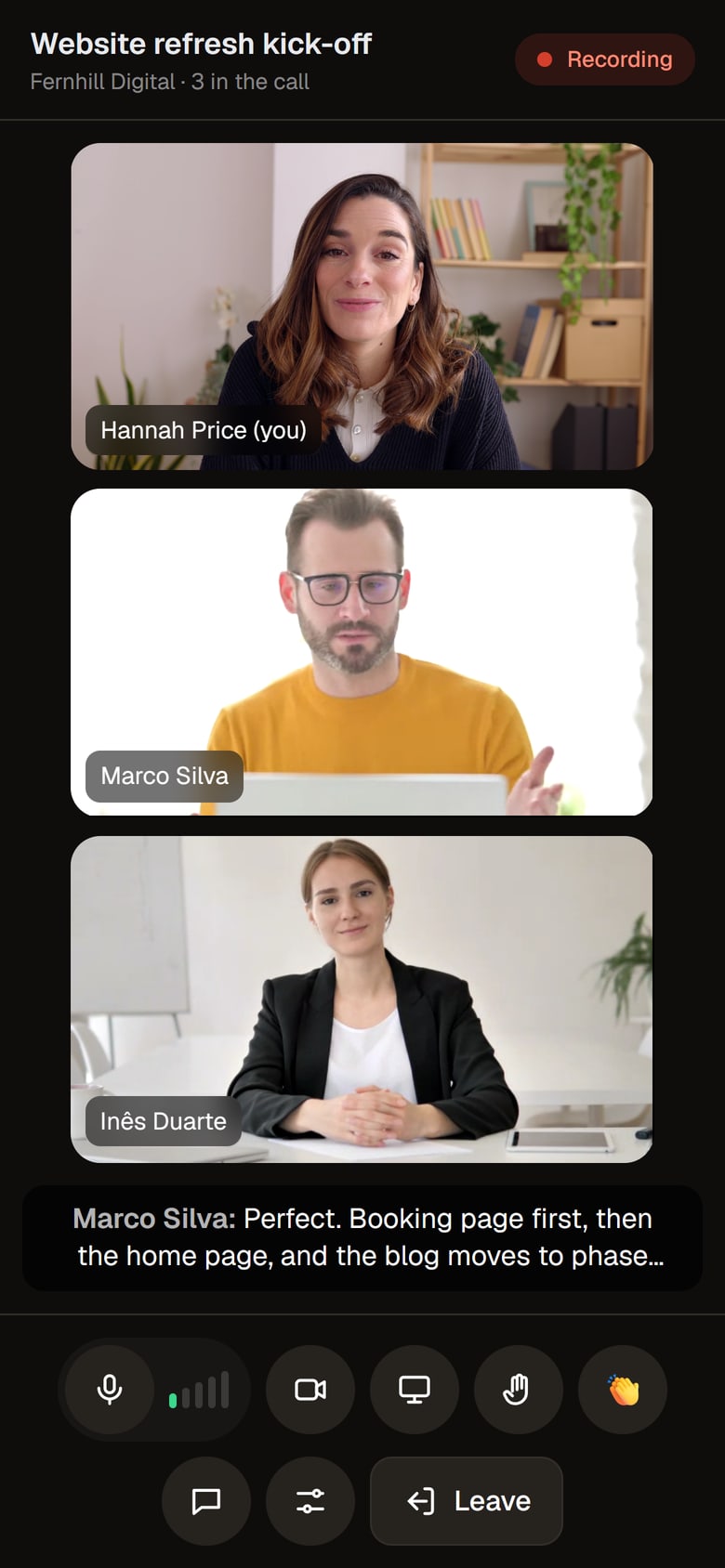
- Live transcriptEvery line as it is said, with the speaker's name and the time. Captions under the video for anyone who wants them.
- Recording, with consentEveryone agrees to the recording before they join, and the call shows when it is on. You keep the video and each person's microphone.
- Let people in, add peopleLet guests in from the lobby, or add someone from inside the call. They get their own link by email, or you copy it and send it on.
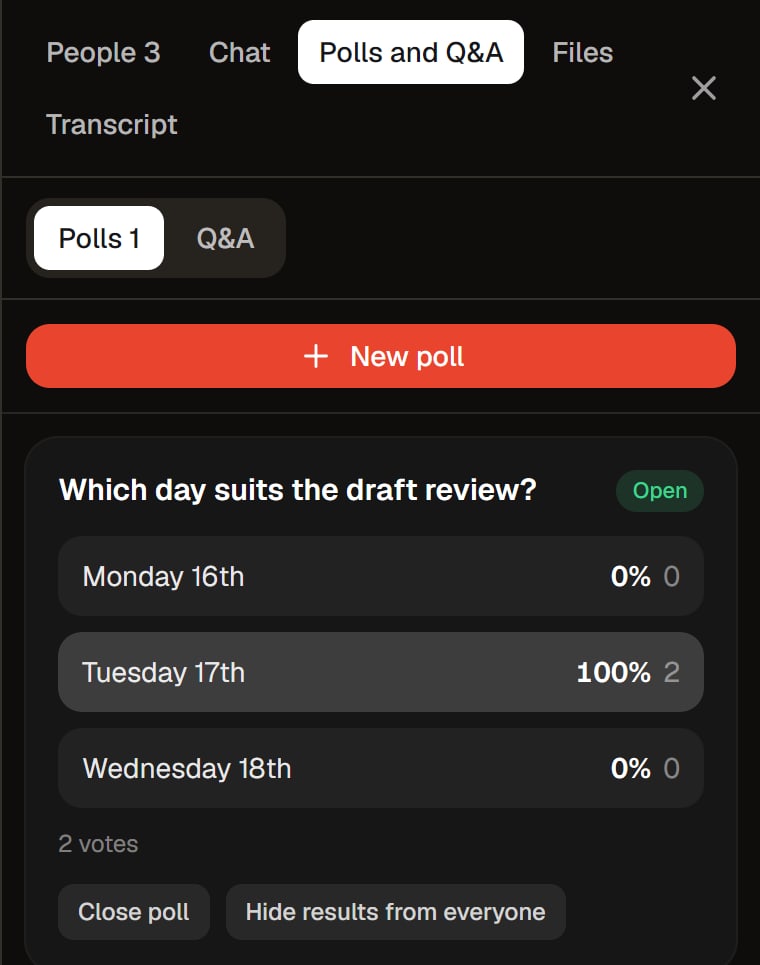
- PollsAsk a question with up to six answers and watch the votes come in. Show everyone the results or keep them to yourself, and they stay with the meeting afterwards.
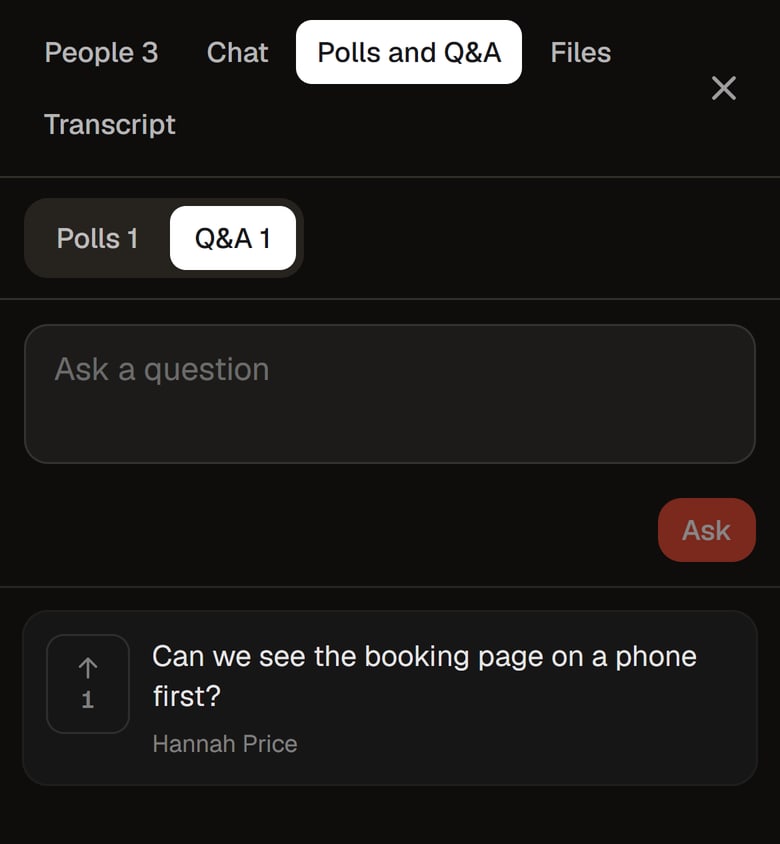
- QuestionsAnyone can add a question and vote up other people's, so the ones most people want answered rise to the top. You can let people ask without their name showing to the others; you still see who asked.
When you hang up, the notes are done.
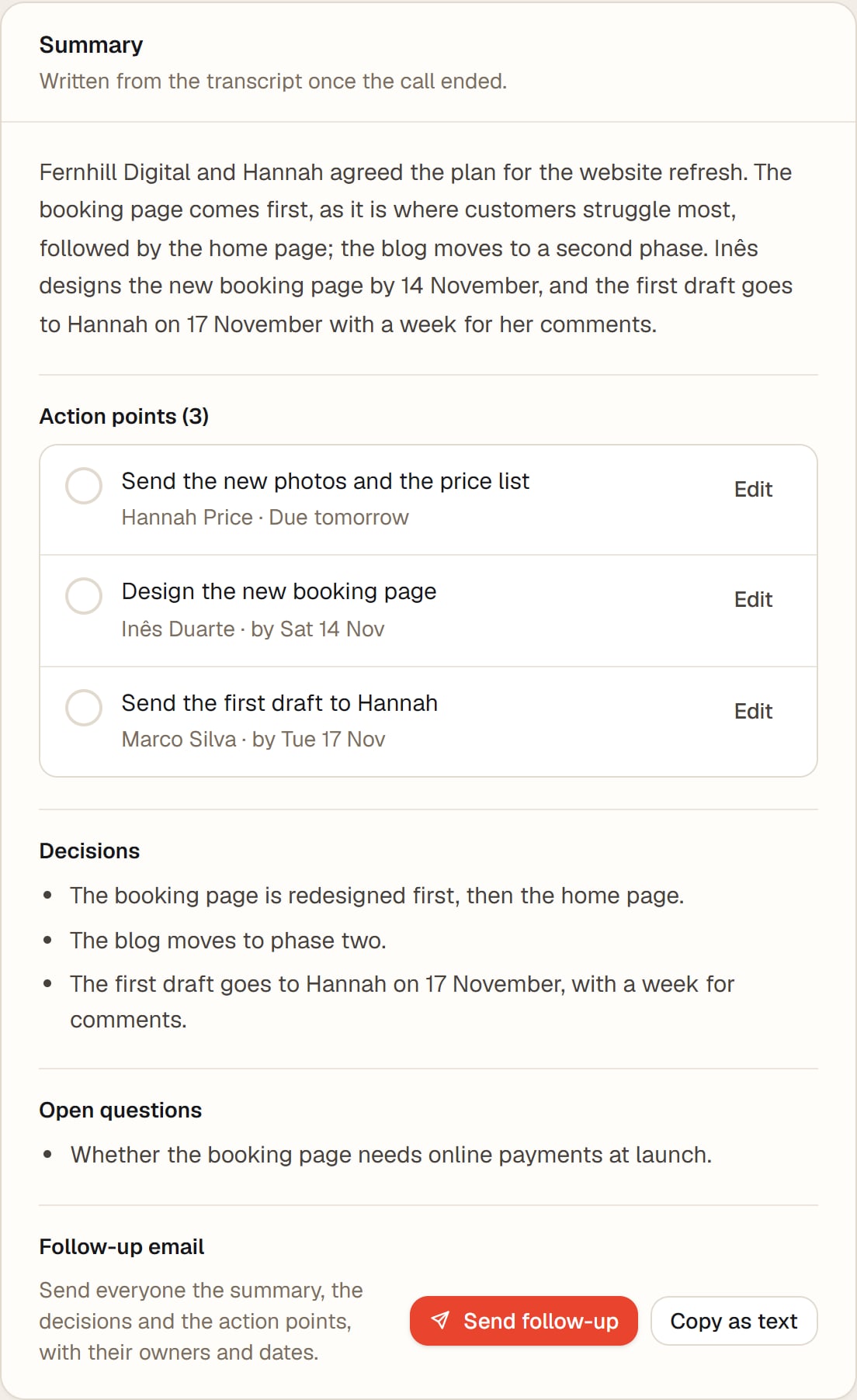
A few minutes after a recorded call, the full transcript is ready with every speaker named, and a summary sets out what was decided, who is doing what and by when.
- Full transcriptMade from the recording, with every speaker named. Press a time to play the recording from there, or download it as text.
- Automatic summaryWhat the meeting was for and what came out of it in a few sentences, with the decisions and any questions left open.
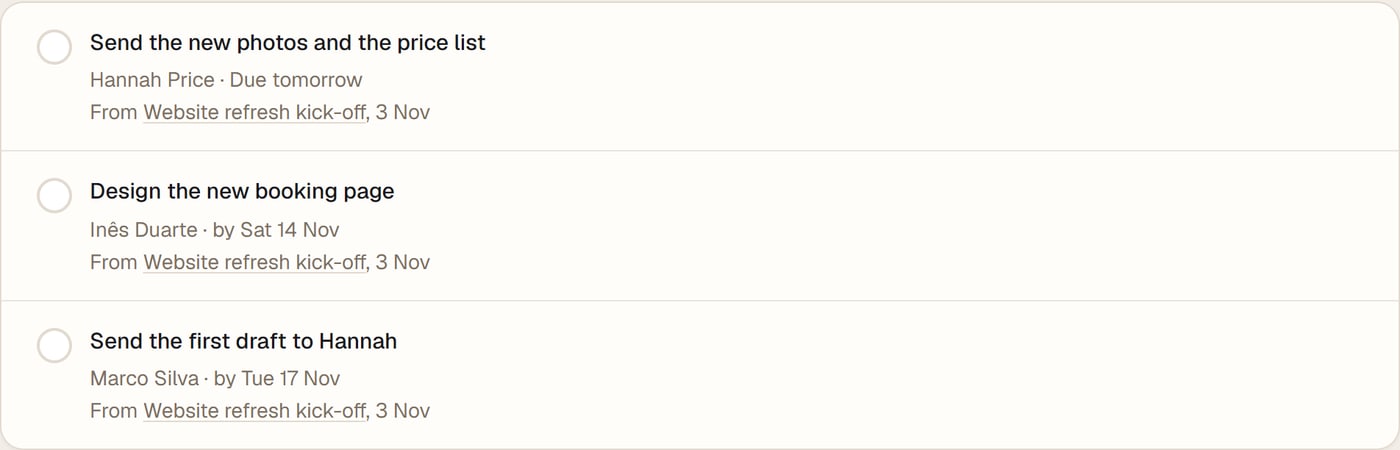
- Action pointsEach one with who is doing it and by when. Change the owner or the date, tick it off when it is done, and see every open one across your meetings in Open actions.
- RemindersThe owner gets an email the day before an action point is due and on the day, never more than one a day, with a link to stop them.
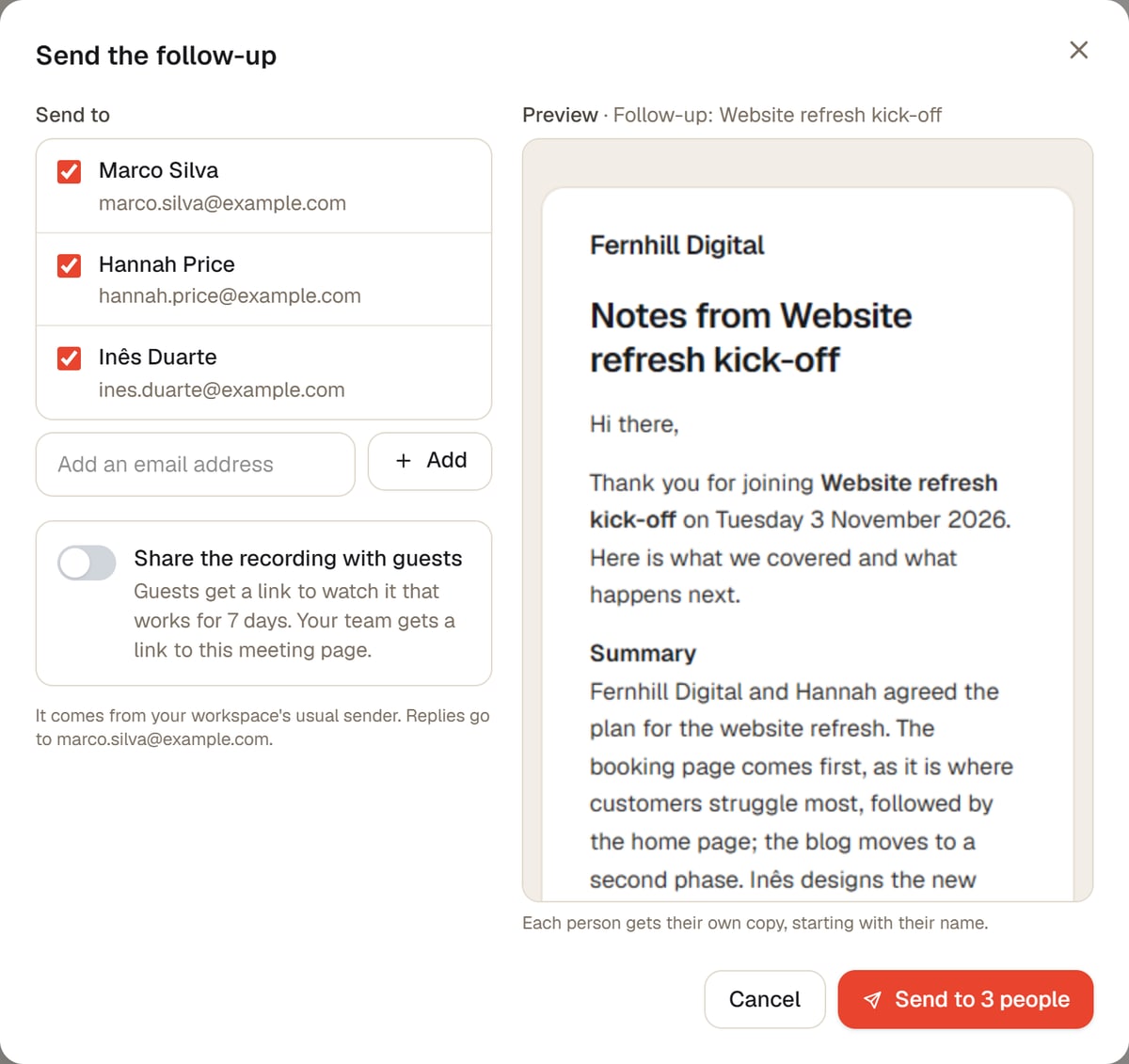
- Follow-up emailOne click sends everyone from the meeting with an email address the summary, the decisions and the action points with their owners and dates. Add anyone else, and share the recording with guests for 7 days if you like. Replies come to you.
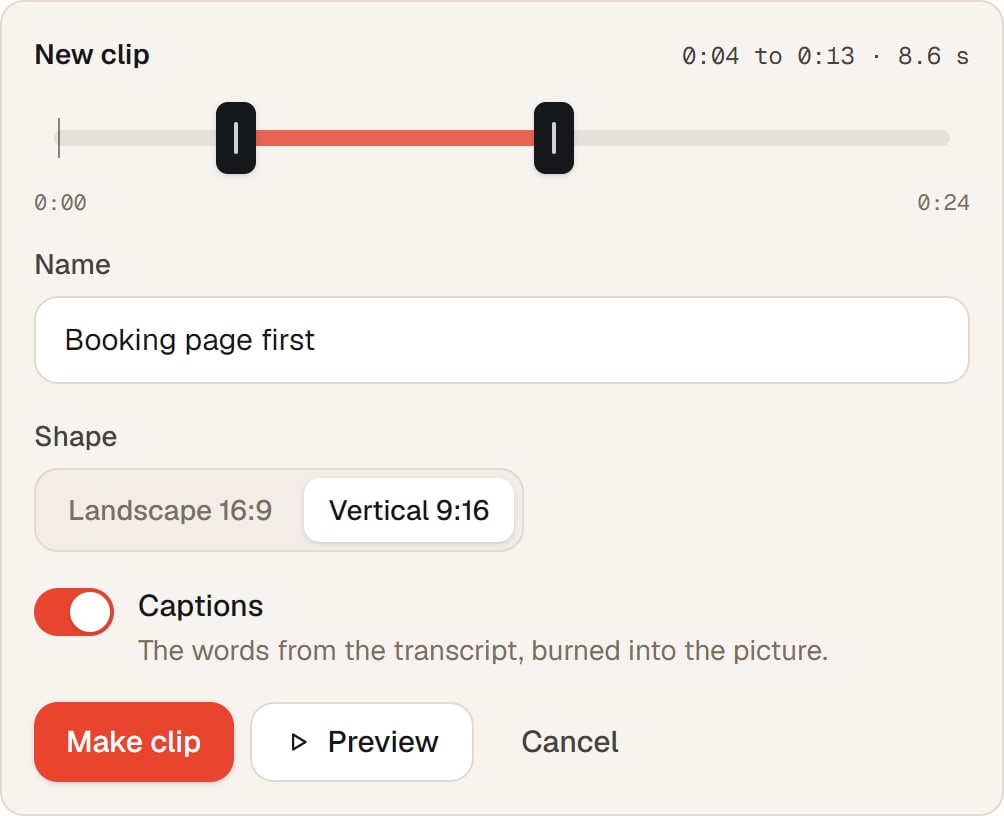
- Clips with captionsPick a stretch of the recording, up to 3 minutes, choose landscape or vertical, and switch on captions to burn the words from the transcript into the picture. The clip is saved in your library.
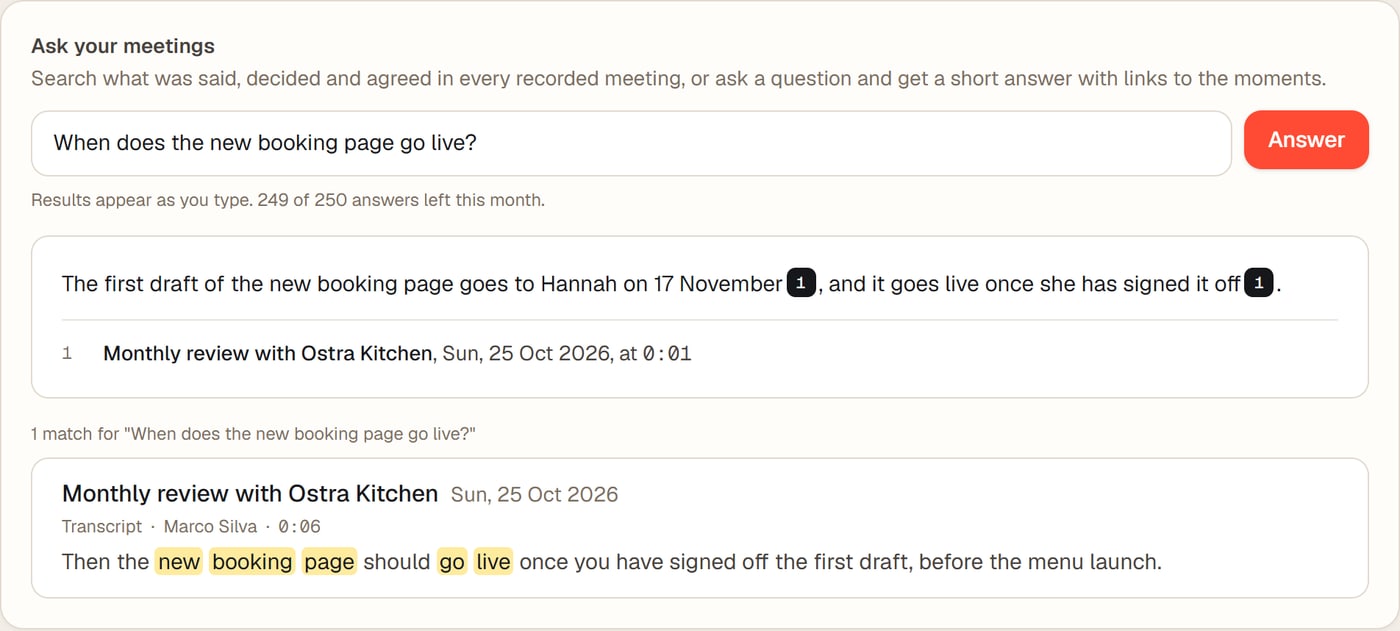
Ask your meetings.
Search what was said, decided and agreed in every recorded meeting at once, as you type. Or ask a question in plain words and get a short answer, with links to the moments it came from.
Meetings come with every plan.
Free trial
14 days, no card- Meetings: 2 hours a month, up to 4 people in each call
- 30 minutes of recorded meetings a month, with transcript and summary
- 20 written answers from Ask your meetings a month
- 5 clips a month
Studio
€39 a month + VAT- Meetings: 10 hours a month, up to 6 people in each call
- 2 hours of recorded meetings a month, with transcript and summary
- 100 written answers from Ask your meetings a month
- 30 clips a month
Studio and webinars
€79 a month + VAT- Meetings: 25 hours a month, up to 12 people in each call
- 5 hours of recorded meetings a month, with transcript and summary
- 250 written answers from Ask your meetings a month
- 100 clips a month
Searching your meetings is never counted. Everything else in each plan is on the pricing page.
Good to know
Do guests need an app or an account?
No. They open the link on a phone or a computer and join in the browser. They only type their name.
How many people can be in a call?
Up to 12 on Studio and webinars, 6 on Studio and 4 during the free trial, the host included.
What happens if we run out of minutes?
A call is never cut off. When the month's meeting time is used, new meetings wait until the 1st. When recorded time runs out during a call, the recording stops a little later and the call carries on. Studio includes 10 hours a month.
Is everyone told the call is recorded?
Yes. In a recorded meeting, everyone agrees to it before they join, and the call shows when the recording is on.
Does it work with my calendar?
Yes. Add a scheduled meeting to Google Calendar, Outlook or Apple Calendar from its page, or subscribe once with your private calendar link so every scheduled meeting in your workspace appears there by itself.
Who gets the notes?
Your team, in your workspace. The follow-up email goes to the people you tick when you send it, and guests only see the recording if you choose to share it.
Try everything free for 14 days.
No card needed. Then the studio is €39 a month, or €79 with webinars, plus VAT. Cancel any time.